Step 6: Send Product Tokens to Product Owners
Product Producer Onboarding > Step 6 of 6
Written By Olivia de Seze
Last updated About 1 month ago
Why send tokens?
Sending tokens transfers your product data to the product owners who purchased the goods. This gives them full supply chain visibility - from raw materials to finished product.
When to send: After production is complete, tokens are approved, and you're ready to ship (or have already shipped) to the product owner.
How to send tokens
1. Go to Send Tokens
Navigate to: Send > Send Token
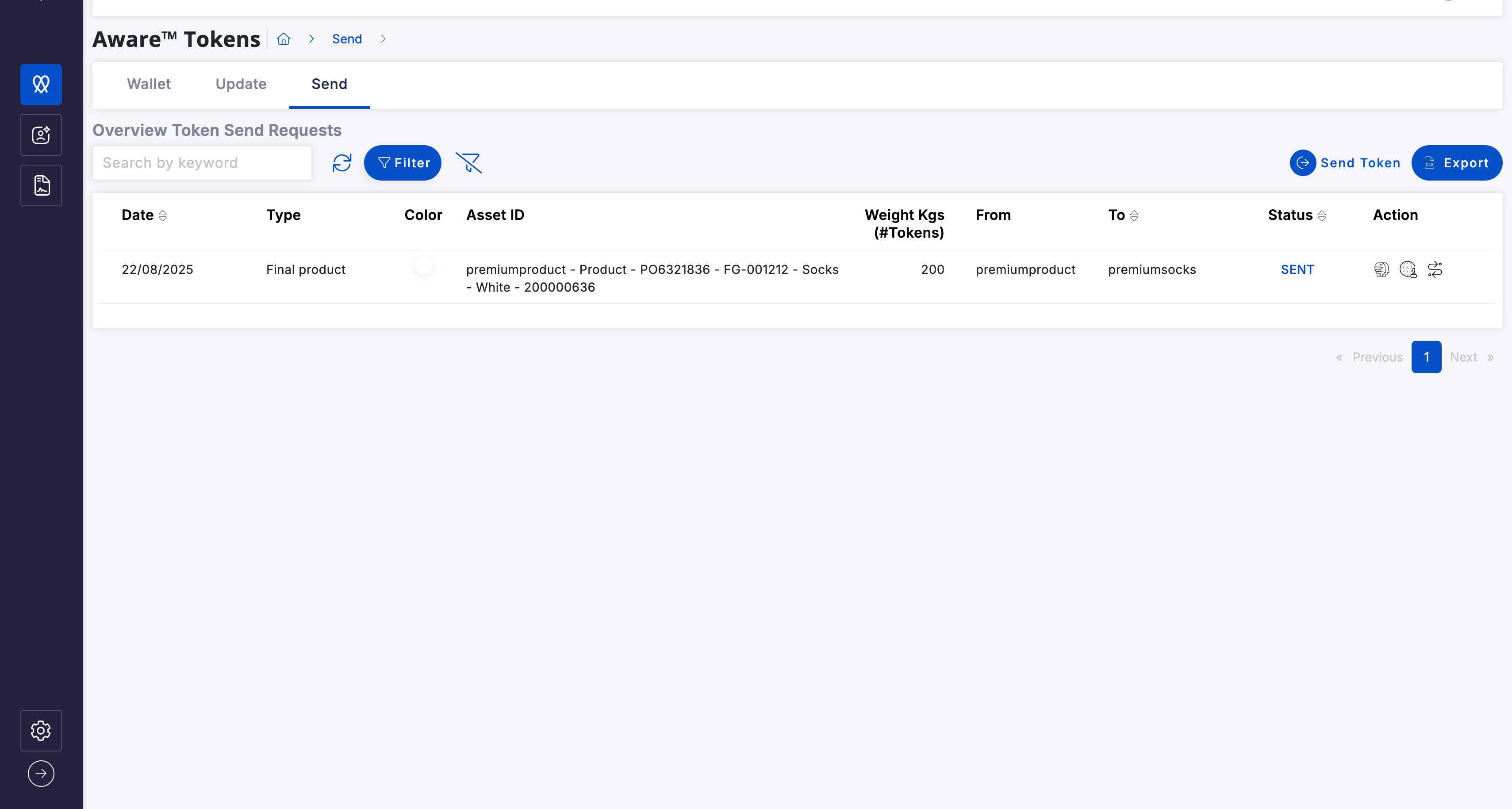
2. Select the receiver
Choose the product owner you're sending tokens to.
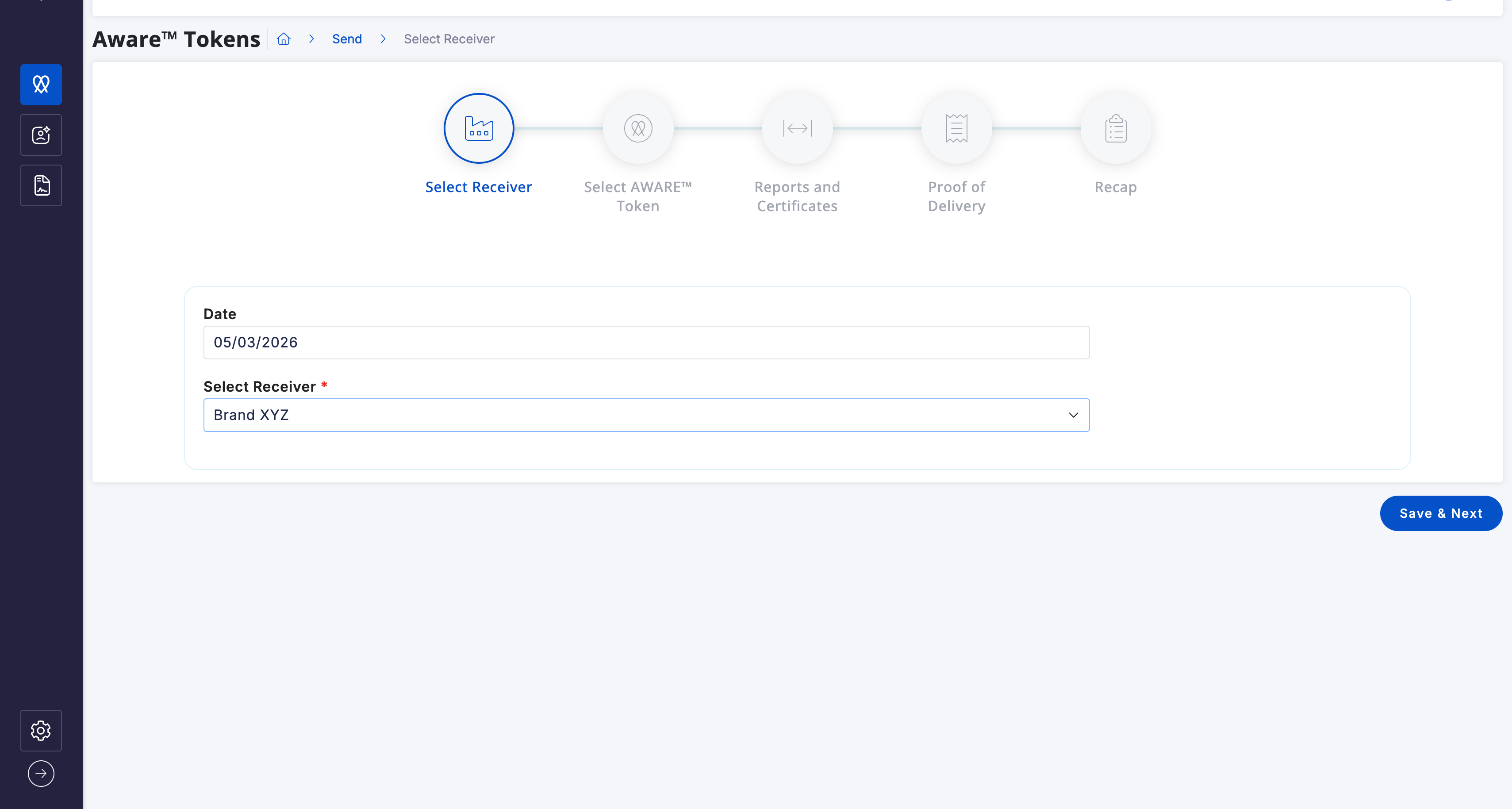
Can't find them? Make sure they're added as a connection. Go to Settings > Relations to add them first.
Click "Save & Next"
3. Select the AWARE™ tokens to send
Choose the Purchase Order and Line Item.
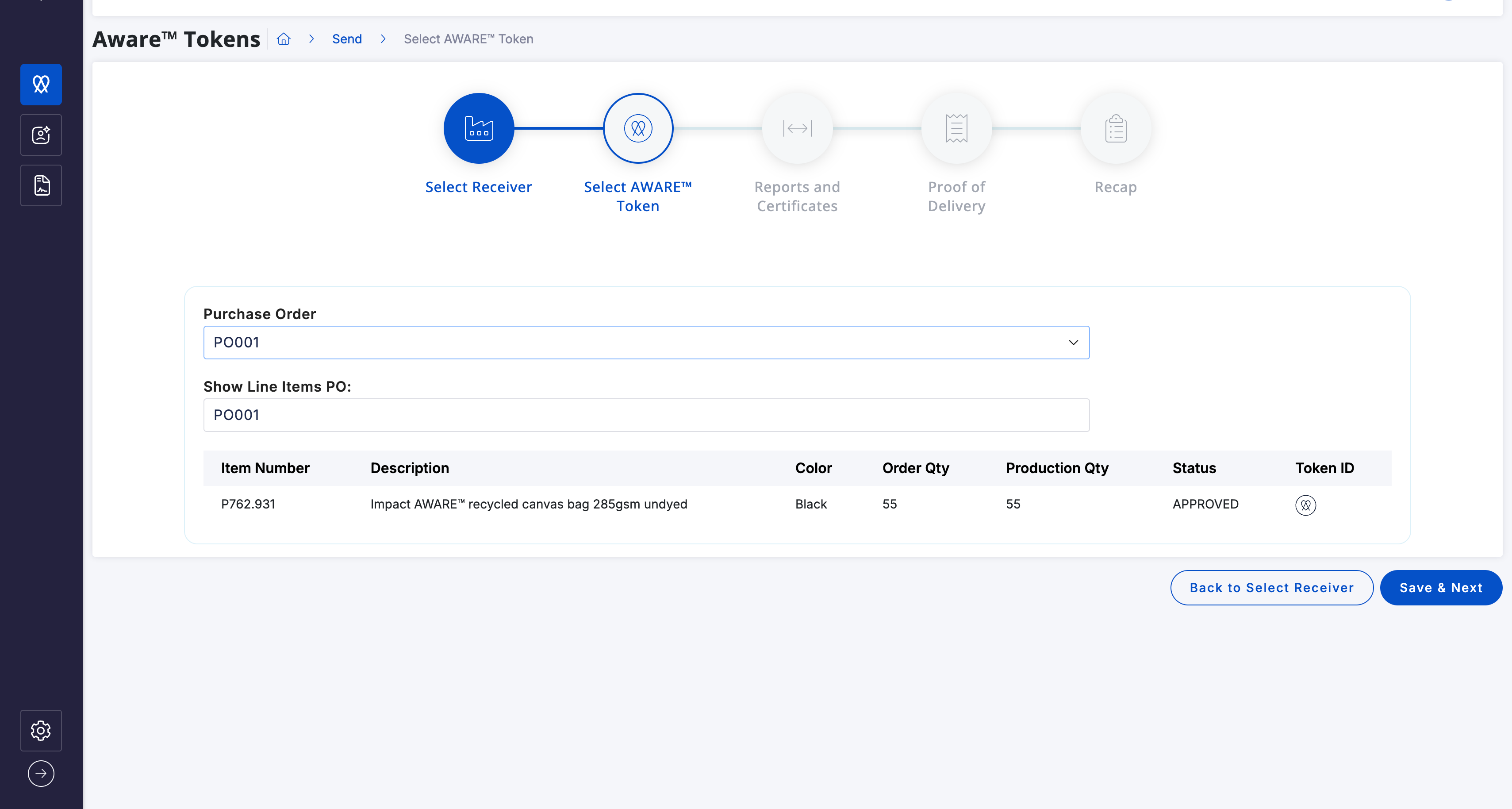
Don't see your PO in the list?
They might not be approved yet. Check with your manager.
4. Add transaction certificates (optional)
Upload any certificates specific to this shipment (inspection certificates, quality checks, etc.).
This is optional but recommended if you have them.
Click "Save & Next"
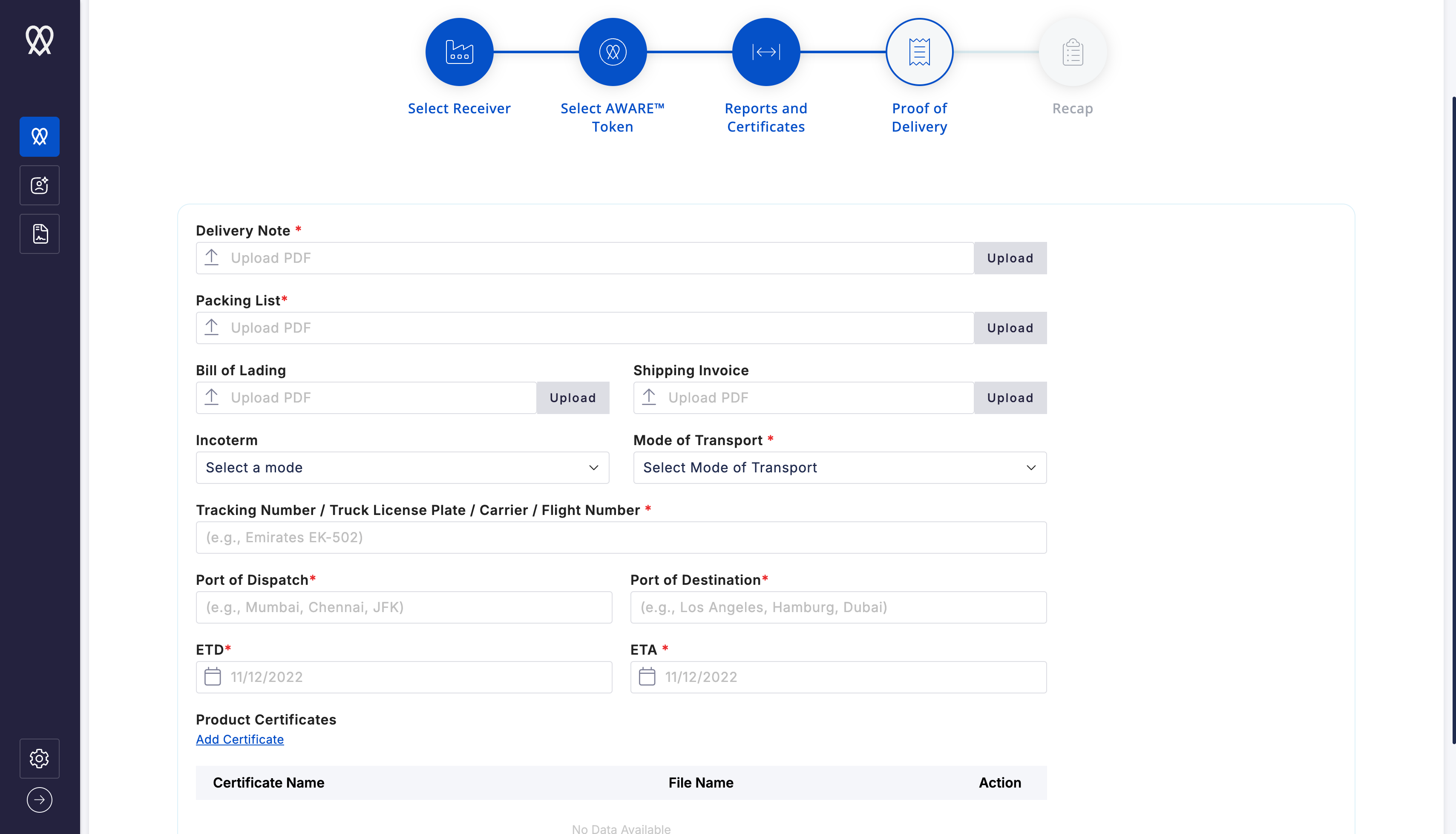
5. Upload shipping documents
Required documents:
Delivery Note
Packing List
These prove the physical shipment matches the digital token data.
6. Review and submit
You'll see a summary of what you're sending:
Receiver (brand name)
Token IDs
Quantity
Documents attached
Everything correct? Click "Submit"
Your tokens are now sent to the product owner.
What happens next?
The product owner receives a notification that you sent them tokens. They can now view:
Your product data
Linked material sources (full supply chain)
All certifications
Shipping documents
This completes the traceability chain from raw materials → your production → their finished goods.
You've completed onboarding! ✓
You now know how to:
✅ Set up your account and complete KYB
✅ Add connections (suppliers and product owners)
✅ Create product tokens
✅ Get manager approval
✅ Send tokens to product owners
What's next?
Keep going:
Keep creating tokens for every shipment to product owners
Invite more connections (work toward 5 referrals to keep €650/year rate)
Join the community webinars and events (office hours, WeCom support channel)
Need help?
Onboarding guide: Link to full Product Producer guide
Office hours: Every Thursday join our Training Sessions here
Create help ticket on HUB
WeCom support: [Link to be announced soon!]
Email: support@wearaware.co
You're part of the network now. Welcome!
– The AWARE™ Team
Was this helpful?
Still need help? Ask the team